


Playful Rewards: Play & Earn
Playful Rewards
Playful Rewards: Play & Earn is a lifestyle app from Playful Rewards that turns casual mobile gaming into a way to work toward gift cards. I approached it less like a serious gaming platform and more like a small reward routine: open the app, choose something that looks enjoyable, spend a little spare time playing, and see whether the effort feels worthwhile. That distinction matters, because the experience is best for people who already enjoy short gaming sessions rather than anyone expecting a dependable income stream.
The app is free and available to users aged Everyone, with support beginning at Android 7.0. It has grown into a widely used option, with over one million installs and a 4.5 average from around fifty-six thousand ratings. Those figures make it easier to understand why someone might try it, but they do not remove the need to approach rewards apps patiently. The real question is not simply whether it offers Amazon, PayPal, and Visa gift cards; it is whether the time, setup, and day-to-day consistency suit your habits.
Where the experience usually gets stuck
My first practical observation is that reward apps can feel confusing when the user expects every action to produce an immediate, visible result. Playful Rewards: Play & Earn is easier to understand when I treat progress as something to monitor over time instead of a button that pays instantly. A game may be entertaining, but the reward side still depends on following the app’s intended flow carefully.
The first point of friction is deciding where to begin. Someone opening the app only to browse may not know which game is the sensible starting point, especially if several choices appear appealing. I would avoid installing everything at once. A better approach is to select one game that genuinely matches your taste, play it consistently for a short period, and learn how the app records your activity before adding another.
That single-game approach is more useful than it sounds. It gives you a clear baseline. If progress appears normally, you know the basic path is working. If it does not, you have fewer possible causes to investigate. Jumping between multiple games makes it much harder to tell whether the issue comes from the app, the game, a connection problem, or simply an expectation about how progress should be counted.
Related News

Instagram Is No Longer a Photo App. It Is an Attention Engine

Microsoft Teams Mobile: When Collaboration Becomes Navigation

How the NFL App Adapts to Android and iOS Updates

Temu: Elevate Your Shopping Experience to Billionaire Status

Why Traffic Rider Works Best as a Precision Reflex Game

How Google’s Find Hub Transforms Everyday Searches
Another common sticking point is assuming that time spent with a game automatically equals reward progress. I would not make that assumption. Reward applications often require the user to enter through the correct screen and maintain a clean sequence between the reward app and the selected game. Even without overcomplicating the process, it is sensible to return to the app occasionally and check whether the activity is being reflected before investing a long evening.
The most useful habit is to verify progress early, not after a long session. Play for a brief period, return to the reward screen, and look for a visible change. This does not guarantee that every later session will behave identically, but it prevents a much more frustrating discovery after hours of play.
Why expectations matter more than speed
The store summary makes the concept sound simple: play games and work toward gift cards. In practice, I see it as a leisure trade-off. You are exchanging attention and time for the possibility of reaching a reward, not replacing paid work. That makes the app a reasonable companion for waiting rooms, commutes, or quiet breaks, but a poor choice if you need predictable money by a particular date.
Gallery
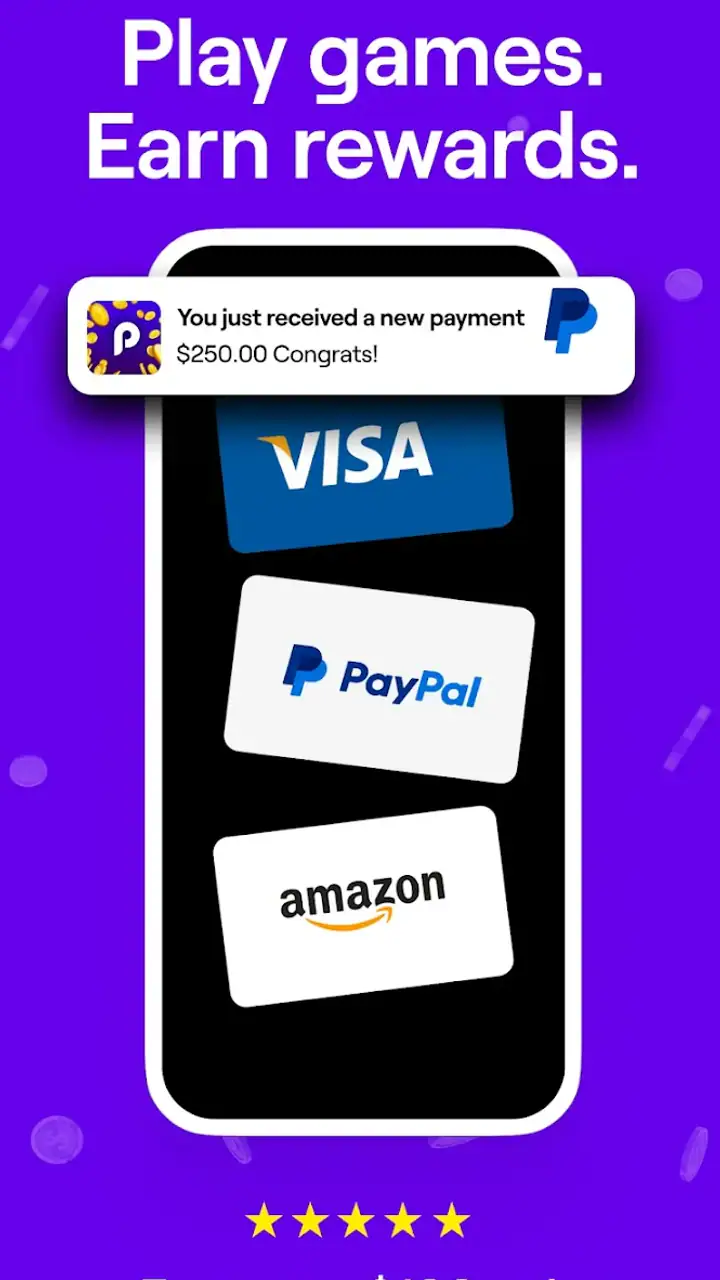
The reward choices are familiar, which is a strength. Amazon, PayPal, and Visa gift cards cover shopping, online payments, and more flexible spending. Still, the usefulness depends on what you actually use. If you never shop through Amazon and do not use PayPal, a different reward app with a preferred redemption option may suit you better. I would decide which reward matters before spending time building progress.
There is also a psychological trap here: a reward target can make an ordinary game feel like a task. I found the experience more pleasant when I chose games I would have tried anyway. If you dislike casual games, the reward may not compensate for the repetition. In that case, a cashback service or survey app could be a better match, even if it offers a completely different type of activity.
Setup checks that prevent avoidable trouble
Before judging the app, I would start with a clean setup. Playful Rewards: Play & Earn supports Android 7.0 and later, so the first check is whether the device meets that requirement. If the phone is compatible but the app behaves oddly, I would make sure the operating system and the app itself are reasonably current. The current app version is 3.0.14, and keeping the installed version current is a sensible first step when screens or progress do not behave as expected.
I would also make room for a stable connection during the initial setup and while checking progress. A weak connection can make a reward screen appear slow or leave a user unsure whether an action has registered. That does not necessarily mean the app has lost anything. Waiting for the connection to settle, reopening the relevant screen, and checking again is safer than repeatedly tapping buttons or starting the same process several times.
Account details deserve a little care. I would use an email address or account method that I can access reliably, because reward apps are more useful when the user can return to the same account and keep track of activity. I would avoid creating multiple accounts simply because the first setup feels slow. Multiple profiles can make progress harder to follow and create unnecessary confusion when checking a redemption.
Notifications and battery behavior are practical considerations, even though I would not enable every alert automatically. I prefer to keep only the notifications that help me notice important account or reward activity, while leaving unnecessary interruptions disabled. On an older phone, aggressive battery saving can also interrupt an app in the background. If progress seems inconsistent, checking whether the phone is restricting the app is a reasonable general troubleshooting step.
Storage is another overlooked detail. Installing several games at once can consume space quickly, especially on a phone with limited capacity. I would begin with one title, keep enough free storage for normal phone operation, and remove games I am no longer using. This is not just tidiness: a crowded device can make every app feel less reliable, and it becomes difficult to identify the real source of a problem.
A low-risk first session
My preferred first session would be deliberately short. I would open Playful Rewards: Play & Earn, review the available game choices, select one, and play long enough to understand the handoff between the reward app and the game. Then I would return to the reward area and check whether the session has been recognized. If the result is unclear, I would not immediately repeat the process with several games.
Taking a screenshot of your own progress screen can also be useful for personal reference, especially if you are trying to remember where you stopped. I am not suggesting collecting extensive evidence for every tap; that would make a casual app feel like paperwork. A simple note about the chosen game and the last visible progress point can help you notice whether a later session is moving forward.
I would also read each screen before confirming a reward-related action. Small differences in wording can matter, particularly when an app presents choices, requirements, or account steps. Rushing through setup is one of the easiest ways to create uncertainty later, because the user may not remember which option was selected or which screen was supposed to be used.
Recovering a workflow when progress looks wrong
When progress does not appear, I would use a calm sequence rather than repeatedly restarting everything. First, I would stop playing and return to the reward app. Next, I would check the connection, close the app normally, and reopen it. If the screen still looks unchanged, I would restart the phone before trying the same game again. These are ordinary steps, but they often separate a temporary display problem from a genuine account or tracking issue.
I would avoid clearing app data as an early reaction. Resetting local information can remove useful context and may make it harder to understand what happened. A safer order is to check the account, confirm that I am using the same device and login path, and look again after a little time. Only after simpler checks would I consider more disruptive maintenance, and I would do so with an understanding that local app information could be affected.
Another recovery technique is to simplify the workflow. If I had several games open or had switched between screens repeatedly, I would choose one game and begin a fresh, controlled session. I would not assume that a missing update means the entire account is broken. Sometimes the visible screen is simply behind the action, while at other times the selected activity may not have been connected to the intended reward path.
For a redemption problem, I would first confirm that the account is the one I normally use and that the selected reward destination is correct. I would check the spelling of any required account detail before submitting anything. If an action appears to be pending, I would avoid submitting it repeatedly; duplicate attempts rarely make a delayed process clearer and can leave the user unsure which request matters.
It is also worth separating a display issue from a real loss of progress. If the app shows an old value after reopening, compare it with the last point you personally recorded. If the value later updates, the issue was likely temporary visibility. If the discrepancy remains, write down the exact sequence that led to it rather than describing it vaguely. A clear timeline is more useful for troubleshooting than saying only that the app “stopped working.”
What I would do before giving up
I would test one change at a time. For example, I might switch from an unstable connection to a reliable one, reopen the app, and check the same screen. If that does not help, I might restart the device and repeat the check. Changing the game, account, device settings, and connection simultaneously removes the ability to learn anything from the result.
I would also keep expectations realistic about delayed feedback. A screen that does not change immediately is frustrating, but it is not automatically proof that the reward has vanished. I would give the app a reasonable opportunity to refresh, then document what I saw. If the same problem repeats across separate sessions, that is a stronger reason to stop investing time and seek help through the app’s available support route rather than continuing indefinitely.
The key trade-off is effort. Troubleshooting should take minutes, not become a second hobby. If a simple restart and account check do not resolve a recurring issue, I would move on to another activity. An app meant for casual rewards loses its appeal when every session requires detailed maintenance.
When the app is not the cause
Not every disappointing result comes from Playful Rewards: Play & Earn. The phone itself can be responsible. Older hardware, low storage, aggressive background restrictions, or an unstable connection can make a normal app appear unreliable. If other applications are also loading slowly or closing unexpectedly, I would investigate the device before blaming this particular one.
The selected game may also be the source of the trouble. If the reward app opens normally but the game crashes, freezes, or fails to load, I would treat that as a separate problem. Testing another available game can help isolate the issue, but I would do so only after noting what happened with the first one. That keeps the comparison useful instead of turning the session into random trial and error.
There is a similar distinction between reward progress and redemption delivery. If progress is visible but the final reward step feels delayed, the problem may involve the destination account or the redemption process rather than gameplay tracking. I would check the destination details carefully and avoid changing them repeatedly. A stable account path is easier to troubleshoot than a series of last-minute edits.
Users should also consider whether their expectations are causing the frustration. Someone who wants a guaranteed return for every minute will probably dislike this model even when it works as intended. The app is better suited to people who can accept variable progress and enjoy the games themselves. If the reward is the only reason you are playing, the usual alternatives may be more efficient for your personality and schedule.
Who will get the most from it
I think the strongest audience is casual players who already spend small pockets of time on their phones. Imagine waiting for an appointment: instead of opening a game with no broader purpose, you choose one through the app, play for a while, check your progress, and close it. That scenario fits the product well because the entertainment comes first and the reward remains a bonus.
It can also suit someone saving toward a modest digital purchase or gift card who enjoys seeing gradual progress. The Amazon, PayPal, and Visa options make the result more practical than a reward tied to one narrow brand. Still, I would choose the destination that I genuinely use and avoid treating the presence of several options as a reason to spend more time than planned.
I would recommend skipping it if you dislike mobile games, have very limited storage, or need a fixed amount of money on a fixed schedule. A cashback app may be a better alternative for regular shopping, while a conventional game is better if you want uninterrupted play without tracking progress. Playful Rewards sits between those categories: it adds a reward goal to gaming, but it does not turn gaming into dependable employment.
The app is also not ideal for people who become anxious about monitoring every small action. The best experience comes from setting a time limit, checking progress occasionally, and walking away when the session stops being fun. Without that boundary, the reward goal can encourage unnecessary repetition and make the value of the activity feel worse than it really is.
My practical verdict after using the reward model
Playful Rewards: Play & Earn is an appealing idea presented in a straightforward lifestyle package. Its free entry, Everyone age rating, familiar reward destinations, and broad availability make it easy to understand why it has attracted a large audience. Playful Rewards is the developer, and the app’s current version, 3.0.14, shows that it continues to receive product updates rather than sitting untouched.
My recommendation comes with a clear condition: use it as a casual bonus system, not as a financial plan. Start with one game, confirm that progress appears, keep your account details consistent, and troubleshoot in small steps. Those habits reduce the most avoidable confusion and help you decide quickly whether the experience is worth your time.
The app’s biggest strength is that it can give ordinary spare-time gaming a concrete purpose without charging an entry fee. Its biggest weakness is the gap between a simple concept and the patience required to make the workflow feel dependable. If you enjoy the games and would be happy with a gradual gift-card goal, I think it is worth trying. If you are focused only on the fastest possible return, a different type of rewards service will probably be a better fit.
In the end, I would keep Playful Rewards: Play & Earn on a phone only when the entertainment remains worthwhile on its own. Set a modest routine, check progress early, and stop when the process becomes more work than play. Used that way, it is a reasonable free companion for casual gaming, with enough reward flexibility to make spare moments feel a little more useful.
FAQs for Playful Rewards: Play & Earn
What is Playful Rewards: Play & Earn?
Playful Rewards: Play & Earn is a mobile app that combines gaming with earning opportunities. Users can play a variety of games and participate in challenges to earn points, which can be redeemed for rewards such as gift cards or cash. The app offers a fun and engaging way to earn while you play.
Is Playful Rewards: Play & Earn free to use?
Yes, the app is free to download and use. However, it may offer in-app purchases or advertisements as a way to generate revenue. These purchases are optional and not necessary to enjoy the full range of games and earning opportunities provided by the app.
How do I earn rewards in Playful Rewards: Play & Earn?
Earning rewards is straightforward. Users accumulate points by playing games, completing challenges, and possibly watching ads. Once enough points are collected, they can be redeemed for a variety of rewards, which may include gift cards, cash, or other digital items, depending on availability.
Is Playful Rewards: Play & Earn safe and secure?
The app is designed with user security in mind, employing standard encryption protocols to protect user data. However, as with any app, users should ensure they download it from a reputable source such as the Google Play Store or Apple App Store to avoid potential security risks from unofficial versions.
Can I use Playful Rewards: Play & Earn on both Android and iOS?
Yes, Playful Rewards: Play & Earn is available for both Android and iOS devices. Users can find it on the Google Play Store for Android devices and the Apple App Store for iOS devices. Ensure your device meets the minimum system requirements for optimal performance.
Pros
- Engaging mini-games boost daily productivity.
- Earn real rewards through consistent play.
- User-friendly interface with vibrant graphics.
- Regular updates keep content fresh and exciting.
- Supports multiple languages for global access.
Cons
- Requires stable internet for optimal performance.
- Limited rewards without in-app purchases.
- Some games are repetitive over time.
- Notifications can become overwhelming.
- Occasional ads disrupt gameplay experience.


